Restaurant Orders
Create dine-in and service orders, manage tables, follow order status, and keep front-of-house teams connected.

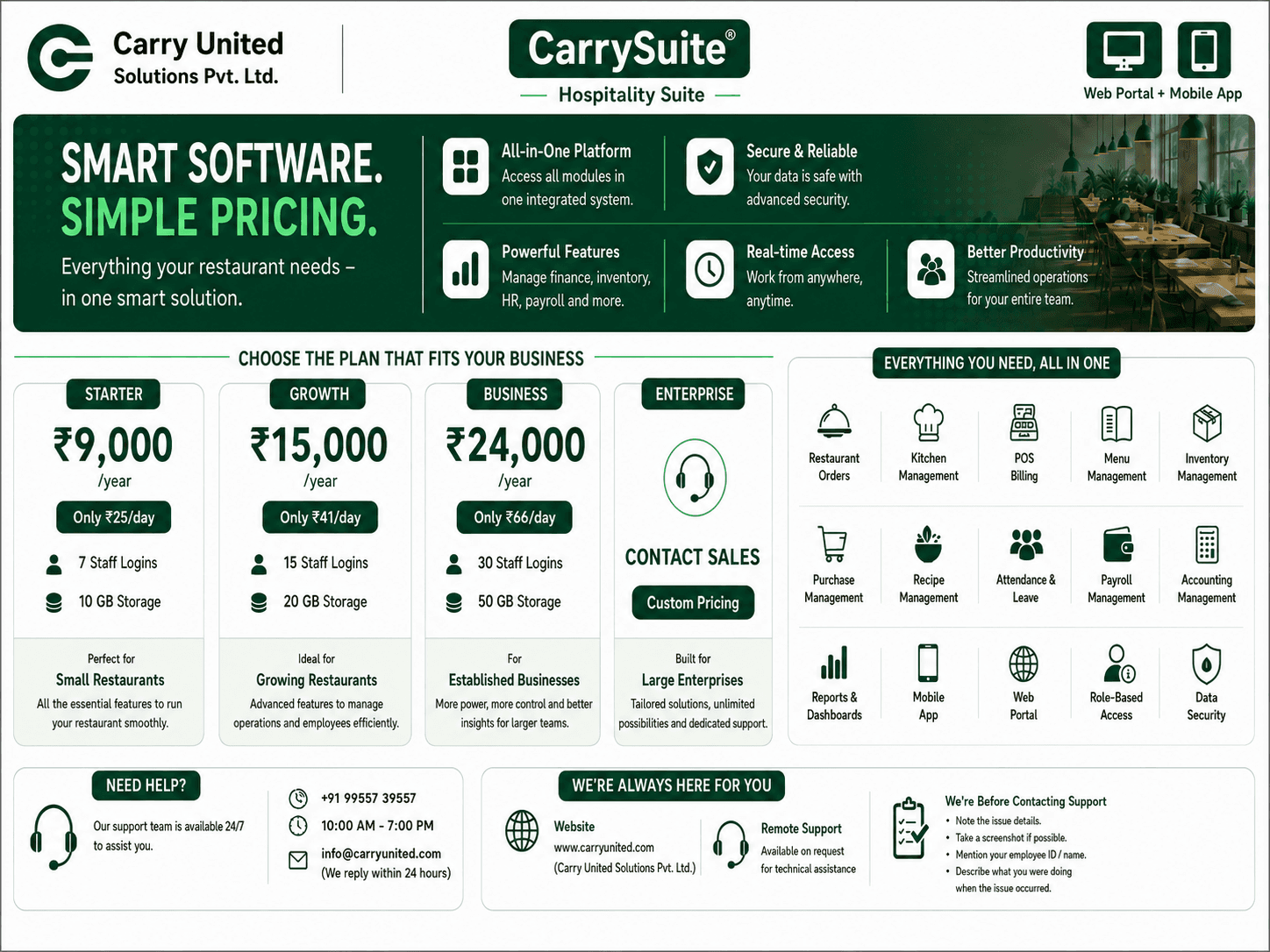
CarrySuite connects restaurant orders, kitchens, menus, billing, inventory, purchasing, attendance, payroll, and leave workflows with a secure ERP foundation.
CarrySuite
Operations Overview
Active Orders
18
+12% today
Today’s Billing
₹ 42,680
86 invoices
Low Stock
7 items
Needs action
Present Team
24 / 28
4 on leave
Live service flow
ConnectedOne platform
Connected operations
Role-aware
Mobile access
ERP-backed
Business records
Built to grow
Multi-team workflows
Complete Operations
Daily hospitality work crosses multiple teams. CarrySuite keeps those workflows connected so staff can act quickly while management receives dependable operational and financial records.
Create dine-in and service orders, manage tables, follow order status, and keep front-of-house teams connected.
Route orders to chefs, manage kitchens, recipes, production quantities, preparation progress, and ingredient usage.
Generate ERP-backed sales invoices, print customer bills, record payments, and maintain a reliable billing history.
Track trading items and ingredients, suppliers, valuation, warehouse balances, purchasing, and stock movement.
Support attendance, marked records, leave requests, approvals, payroll-ready data, and employee dashboards.
Give role-aware access to waiters, chefs, cashiers, store teams, managers, HR, and employees from one workspace.
Handle GST and TDS records, reconcile GSTR-2B, prepare GSTR-1 and GSTR-3B data, and download filing-ready JSON or Excel reports with supporting tax details.
Process payroll from attendance and leave records, manage salary structures, allowances and deductions, generate salary slips, and maintain employee payment history.
Organize account groups and ledgers, track income, expenses, receivables and payables, and keep every transaction ready for accurate financial statements.
Restaurant Operations Workflow
One connected flow keeps stock, menus, service, kitchen, billing, and customer receipts aligned. Every role sees the work relevant to them and passes it clearly to the next team.
Scan barcodes to quickly add ingredients and trading items, record their purchase value, and keep warehouse stock ready for daily operations.
Scan or select available items and turn them into a structured menu with selling prices, recipes, taxes, and kitchen assignment.
Scan item codes or select menu items, choose the table or customer, confirm quantities, and send the order directly for preparation.
Receive the live order, view item quantities, prepare the food, and update its status when it is ready.
Track the prepared order, complete service, and make the final order available to the billing counter.
Review the completed order, collect payment, and generate a connected sales invoice with an accurate total.
Print or share the final customer bill using compatible thermal, Bluetooth, USB, network printers, and POS machines while keeping every invoice in billing history.
One continuous record: every action moves forward without entering the same information again.
Explore our ERP capabilityAccess by Responsibility
Permissions are designed around operational responsibility, backed by ERP permissions and auditable records.
Create orders, find customers, and follow service status.
See assigned orders and update kitchen preparation.
Create bills, collect payments, and print invoices.
Manage items, suppliers, purchasing, and stock.
Control operations, menus, teams, and reporting.
Handle attendance, leave requests, approvals, and workforce records.
Management Visibility
Connected dashboards and ERP records help managers understand orders, billing, stock, production, attendance, and workforce activity.
Follow active, completed, and historical service activity.
Keep invoice, payment, and print data connected.
Understand quantities, valuation, and purchasing needs.
Review attendance, leave, and employee activity.
Built for Your Operation